


iPad is the best all-round choice for most rentals thanks to its app ecosystem, battery life, and ease of use for non-technical visitors. Samsung tablets suit businesses that need Android compatibility, stylus input, or rugged builds for field environments. Surface devices are the right call when the job genuinely needs Windows software, like running desktop CRM tools or point-of-sale systems that don’t have a mobile version.
For most events, conferences, and business rollouts, the iPad is the safest choice for tablet hire uk because of its reliability, huge app library, and long battery life. Samsung tablets are a strong alternative if you need Android flexibility or rugged devices for warehouses and field work, while Microsoft Surface devices win out when attendees or staff need full desktop software rather than mobile apps. Which one actually suits your event depends on what the tablets need to do once they’re switched on, not just what looks good on a spec sheet.
What Matters When Renting a Tablet
Choosing a tablet to rent is a different decision from buying one for yourself. You’re not thinking about resale value or five-year durability, you’re thinking about what will work flawlessly for a single event, a three-month rollout, or a busy exhibition hall. That shifts the priorities toward setup speed, battery life across a long day, screen responsiveness under heavy use, and whether the software you need actually runs on the device.
Cost matters too, but not in isolation. A cheaper Android tablet that confuses half your visitors costs you more in lost leads than the money it saves on the invoice. Match the device to the task first, then compare pricing.
iPad Hire: Best for Familiarity and App Support
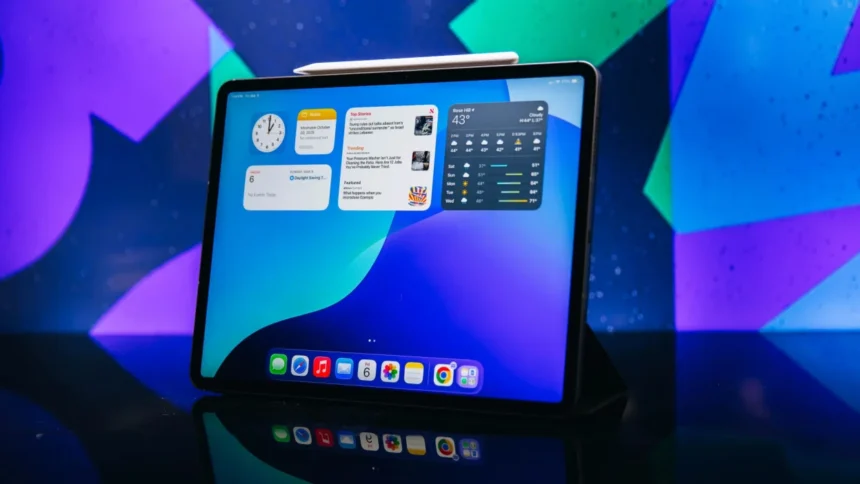
Nearly everyone who walks up to an iPad already knows how to use it. That’s the biggest reason event organisers default to iPads for lead capture, surveys, and self-service kiosks. Apple’s App Store has a deep catalogue of business and event apps, many built specifically for iOS first, and battery life comfortably covers an eight-hour show floor without needing a mid-afternoon charge.
Screen response is consistently sharp across models, which matters when a device gets tapped hundreds of times a day by different people. For short term tablet hire covering a single exhibition or a weekend pop-up, an iPad is usually the fastest device to configure and hand over, since most rental providers can set kiosk mode and load your apps before the device even arrives on site.
iPads are locked into Apple’s ecosystem, so if your business runs Windows-only software with no iOS equivalent, you’ll hit a wall. They’re also pricier to rent in bulk compared with mid-range Android tablets, which matters if you’re kitting out a large sales floor.
Samsung Tablet Hire: Best for Android Flexibility and Rugged Options
Samsung’s tablet range covers more ground than most people expect, from slim consumer models to rugged, drop-resistant tablets built for warehouses, logistics, and outdoor events. Android’s open system also means more flexibility for custom apps, barcode scanning hardware, or point-of-sale integrations that don’t have an Apple-approved equivalent.
For bulk tablet hire across a large workforce or a multi-site rollout, Samsung devices often work out cheaper per unit than iPads, without a major drop in performance for standard business apps. The S Pen stylus on higher-end Samsung models is also useful for signature capture, sketching, or annotating documents on the spot, something iPad only matches with a separate purchase.
Android fragmentation is real. Not every app is optimised the same way across different Samsung models, and interfaces can vary slightly between generations, which adds a small learning curve for staff switching between an old model and a new one.
Microsoft Surface Hire: Best for Full Windows Functionality
Surface devices run full Windows, not a mobile operating system, which matters when your business genuinely needs desktop software rather than an app. Point-of-sale systems, CRM platforms without proper mobile versions, and internal tools built years ago for Windows all run natively on a Surface without workarounds.
That makes Surface the right pick for corporate training sessions, internal audits, or any rollout where staff need to run the same software they use at their desks. Keyboard attachments turn a Surface into a genuine laptop replacement too, which iPads and most Android tablets still can’t fully match.
Choosing a Rental Partner That Stocks All Three
Picking the right brand only solves half the problem. The rental company supplying the devices needs to configure them properly, cover the whole event window, and swap out any faulty units fast if something goes wrong on the day. A specialist supplier like Tablethire carries iPad, Samsung, and Surface stock side by side, which means you’re not locked into one brand before you’ve even worked out which one fits the job best.
iPad vs Samsung vs Surface: Quick Comparison
| Feature | iPad | Samsung Tablet | Microsoft Surface |
| Operating system | iOS | Android | Windows |
| Best for | Kiosks, lead capture, general events | Rugged use, bulk rollouts, stylus input | Desktop software, POS systems, training |
| Battery life | 8-10 hours | 8-12 hours (varies by model) | 6-9 hours |
| App availability | Very high, iOS-first apps common | High, more open customisation | Runs full desktop software |
| Bulk rental cost | Higher | Generally lower per unit | Mid to high |
| Learning curve for visitors | Very low | Low to moderate | Moderate, more like a laptop |
Matching the Tablet to Your Event
1. Trade Shows and Exhibitions
Go with iPads for lead capture and visitor sign-ups. Familiarity keeps queues moving and reduces the chance someone abandons a form halfway through.
2. Warehouse, Logistics or Outdoor Events
Rugged Samsung tablets handle drops, dust, and weather far better than consumer-grade devices, and Android integrates more easily with barcode scanners and custom hardware.
3 Corporate Training or Internal Rollouts
Surface devices let staff run the exact software they use daily, with a keyboard attached for note-taking or data entry, without needing an app rebuilt for mobile first.
How to Decide: 4 Quick Steps
- List the software you need to run. If it only exists as a desktop app, Surface is likely your answer.
- Check how long the devices are needed for. A single weekend favours quick-turnaround iPad or Samsung rentals, while multi-month rollouts benefit from negotiating better bulk rates.
- Think about the environment. Outdoor, industrial, or high-traffic settings call for rugged builds over consumer tablets.
- Ask your rental provider what they stock. A supplier offering all three brands can advise on trade-offs instead of pushing whatever they happen to have spare.
Frequently Asked Questions
1. Which tablet is best for event lead capture, iPad or Samsung?
iPad is generally the better choice for lead capture because most visitors are already familiar with the interface, which keeps queues moving and reduces abandoned forms.
2. Is Samsung or iPad better value for bulk tablet rentals?
Samsung tablets are usually cheaper per unit for large-scale rentals, making them a common choice for businesses equipping dozens or hundreds of staff at once.
3. Can Surface tablets run the same software as a laptop?
Yes. Surface devices run full Windows, so they support the same desktop applications as a standard laptop, unlike iPad or Android tablets which rely on mobile apps.
4. How long can I rent tablets for a short event?
Most providers offer short term tablet hire for single days, weekends, or week-long exhibitions, alongside longer options for multi-month projects.
5. Do rented tablets come pre-configured with apps?
Reputable rental companies set up kiosk mode, install your required apps, and test connectivity before the device is delivered or collected.
6. What’s the difference between iOS, Android, and Windows tablets for business use?
iOS tablets (iPad) focus on ease of use and app availability, Android tablets (Samsung) offer more hardware flexibility and lower bulk costs, and Windows tablets (Surface) run full desktop software.
Final Thoughts
There’s no single best tablet for every rental, only the best tablet for what you’re actually trying to do on the day. iPad wins on ease of use, Samsung wins on flexibility and bulk pricing, and Surface wins when desktop software is non-negotiable. Working with an established provider like Tablethire means you can compare all three options against your event brief rather than committing to one brand before you’ve weighed up the trade-offs.